

Did you know that Facebook might have a wealth of information about you? This surpasses even the most intrusive stalker’s wildest dreams. Shockingly, the platform has repeatedly failed to safeguard user data.
So, how do you check what Facebook knows about you? This article answers your question by discussing the extent of the platform’s knowledge about you and ways to take charge of your privacy. Let’s delve right into it.
What Exactly Does Facebook Know About You?
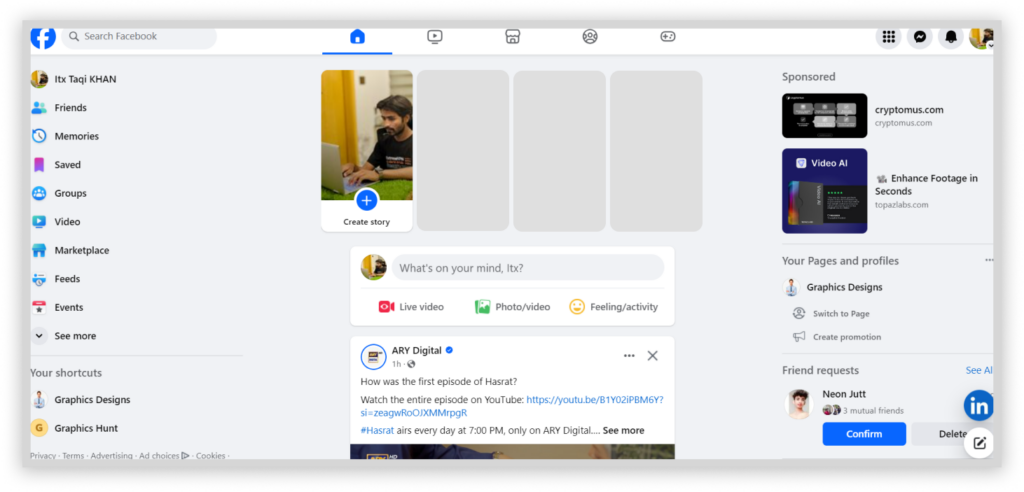
Meta, the company behind Facebook, logs an extensive range of data, and its data collection practices are enormous. Given the track record of Facebook data leaks, the company doesn’t consistently secure your information.
Personal Information
From personal details to your app activities, this social media app knows a lot. Your voluntarily shared personal information constitutes a massive part of Facebook’s database, including:
- Your full name and birthdate
- Details about your educational and professional history
- Information about your places of residence
- Your phone numbers and email addresses
- Your current relationship status
- Significant life events, such as graduations, marriages, or childbirth
If you’ve confirmed your identity on Facebook, chances are you have submitted a photo of your ID. Although Facebook encrypts and securely stores this sensitive information, it is another valuable piece added to its data collection.
This data, however, becomes a goldmine for Facebook and advertisers. Moreover, if a significant portion of this information is publicly accessible, it creates potential vulnerabilities for exploitation by hackers and stalkers.
Facebook Activities
Regarding your activities, Facebook has access to a comprehensive range of information, including:
- Calls and messages made on the platform, including the Messenger app. However, to be safe, you can utilize Facebook’s secret conversation feature for end-to-end encryption.
- Your search history, which, unless regularly deleted, retains a log of phrases, people, and videos you’ve searched over the years. This includes voice search history with recordings and transcriptions.
- Your posts, including named and anonymous contributions in groups.
- Photos and videos shared in your stories.
- Comments and reactions made on posts across the platform.
- Feedback and warnings received from group admins.
- Events you’ve created and participated in.
- Ads you’ve interacted with.
- Check-ins and other significant activities.
Device Data
Facebook keeps track of the devices you’ve used to access its platform. This offers security measures for users concerned about potential account breaches. Additionally, it enables you to monitor the locations where you are logged in.
However, it is more than a safety feature; Facebook also uses this data for ad targeting, personalization, and to aggregate additional information about you. When installing the Facebook or Messenger apps on your phone, it requests app permissions.
This includes access to your phone’s contact list, camera, and microphone. These permissions grant Facebook access to your personal information, extending to your contact list.
Financial Details
If you’ve used Meta Pay (formerly Facebook Pay) or paid for game subscriptions, marketplace purchases, or Facebook advertising, Meta processes your payment card details. As a matter of fact, you can access your payment history in Meta’s Accounts Center.
User Interests and Opinions
Facebook uses your interests and opinions by analyzing your overall activity on the platform. It is privy to your musical and movie choices, religious and political views, and more.
Previously, you could see what you liked on your Facebook profile, a feature that could be eerily accurate. However, this feature is no longer visible.
App and Web Activity
Regardless of whether you access Facebook through your desktop browser or a mobile app, it monitors your activity. This includes both the original and Lite versions of Messenger. Since Instagram is part of the same corporate umbrella as Facebook, your activity on the app contributes to your overall profile.
Additionally, Facebook gathers data on the activities of apps and websites linked to your account. Even when these external platforms are not directly connected, the companies behind them might share your interactions with Facebook.
Facebook Knows Your Location
With nearly 80% of users accessing Facebook on their smartphones, the platform has become an on-the-move routine. Installing Facebook on your phone means that it could constantly know your whereabouts. How?
Primarily, your GPS is an accurate indicator of your location. This is why you may receive notifications about “suspicious” devices when you travel or use a VPN to alter your location. Even when you turn off the GPS, Facebook uses other options. This includes tapping into:
- Wi-Fi points
- Bluetooth signals
- Nearby cell towers, etc.
Of course, your IP address could potentially contribute to this; Facebook accomplishes this task without relying heavily on your IP address. Knowing that Facebook can track you using the images or media content you capture becomes more scary.
Whether you share a snapshot of Niagara Falls or unpopular locales, the platform easily determines your location. You must understand that this isn’t mere speculation. Facebook’s privacy policy states its authority to analyze and use all available information.
How to Access Your Facebook Information
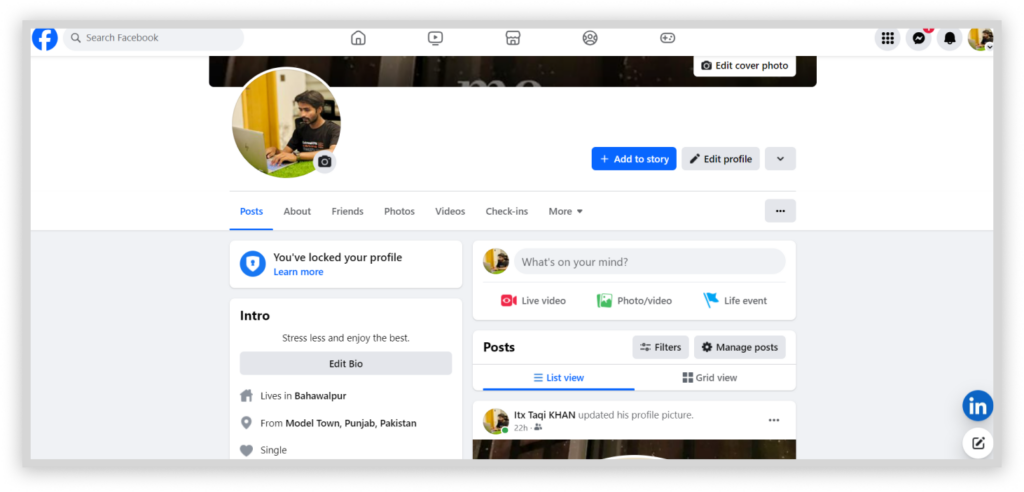
To review or download a copy of all your Facebook data, follow the steps below:
- Navigate to Facebook and click on your profile picture in the top-right corner of the page.
- Click “Settings & privacy.”
- Select “Your Facebook information” in the left-hand menu.
- Click “View” next to “Access your information” to see various information that Facebook has about you.
- Select the information category in the left-hand menu, like “Your activity across Facebook,” “Personal information,” or “Logged information,” to see the comprehensive list of data Facebook collected, such as your posts, photos, messages, and more.
- If you want to see the data shared by third-party websites, you can return to “Your Facebook information” and select “View” next to “Off-Facebook activity.”
How to Retrieve Your Data from Facebook
To retrieve your data from Facebook, here are the steps to follow:
- Navigate to Facebook, click on your profile picture in the top-right corner, and then select “Settings & privacy.”
- Click “Settings.”
- Select “Your Facebook information” in the left-side menu.
- Click “View” next to “Download your information.”
- Select “Request a download” for a list of your Facebook data. For Instagram, simply download the data Meta got from Instagram.
- Notably, you can also decide whether to make a “Complete copy” of your data or select specific types of information to retrieve instead.
- Select the date range for the data you wish to retrieve. You can specify whether the data should be in HTML or JSON format and determine the quality level for images and videos.
- Lastly, click “Submit request” after configuring your preferences.
Remember that it may take several days for Facebook to compile your archive. Once ready, it will notify you via email, and you will have a 4-day window to retrieve your information.
Ways Facebook Gets Information About You
Facebook gathers information about you through various channels using several methods:
- User-provided information: Populating your Facebook profile with details builds blocks in Facebook’s data repository. Everything starts with your email address or phone number. Then, your profile gradually takes shape as you add extra information.
- App activity: Simply scrolling through the app contributes to your Facebook information. Your actions allow the platform to deduce your interests and preferences.
- Tracking tools: Facebook uses various tools to track your interactions on websites. Moreover, it also utilizes third-party cookies to enhance its tracking capabilities.
- Meta services: Facebook collects information from affiliated apps and services like Instagram and WhatsApp.
- Other platforms: The platform collaborates with other companies that share information about you. For instance, if you’re already a subscriber to a particular service, it might share your email address with Facebook. This prevents redundant ad displays.
- External sources: Data brokers and public records are among the diverse channels through which Facebook receives your information.
What Does Facebook Do with Your Data?

Facebook uses your data for various reasons. These include:
- Personalized experience: The website collects data to provide a personalized experience to its users. This includes displaying advertisements and optimizing content and recommendations so that it can increase engagement rates.
- Data analytics: Facebook uses gathered data for analytical purposes. It gets valuable insights into trends and demographics by measuring and analyzing user activity. This helps marketers, advertisers, and business partners in shaping their strategies.
- Communication: A part of the collected data facilitates communication efforts for the application. Facebook personalizes messages and keeps users informed about changes on the platform.
- Security: Facebook monitors and detects harmful activities running on the app. This helps it to confirm if a user’s account has been compromised.
- Research and innovation: Some of the data is used for research purposes, such as developing innovative features.
Controlling Your Privacy on Facebook
The most effective approach to stop Facebook from tracking your data is by deleting your account permanently. Doing this compels Facebook to remove your information. However, even if you delete your account, the platform may still collect some of your data from other websites and apps.
Other simple yet effective approaches that guarantee your account’s privacy include:
1. Using a VPN
Facebook knows information about your IP address, exposing details about your ISP, location, and connected networks. Thankfully, a VPN hides your IP address from apps like Facebook. Moreover, it enhances your online security and privacy by encrypting your data.
ExtremeVPN is your best bet for protecting yourself from Facebook’s data collection practices. Moreover, it’s an effective yet affordable option with a risk-free 30-day money-back trial.
2. Share Less Information in the “About You” Section
Users share a lot of information about themselves on Facebook. You can leave many “About You” fields blank, as they are not mandatory. However, if you have already filled in the field, you can delete your information by doing the following:
- Click on your profile picture located in the top-right corner of the screen.
- Select the “About You” section. Here, you can review and manage your details.
- Add an entirely different birthdate and remove other private information.
Remember that reducing the amount of available information limits Facebook’s knowledge about you.
3. Manage Additional Personally Identifiable Details
You must review and limit other details, including check-ins, statuses, events, photos, life events, etc. Although navigating through these details may require some time, the effort is worthwhile.
4. Erasing Previous Facebook Activities
It is crucial to erase previous activities and retain data about your actions beyond the platform. Given the extensive nature of your data, it’s wise to clear old activities and block future connections to your Facebook account.
Here’s how you can clear your previous activities:
- Choose “Settings & Privacy” > “Settings” > “Your Facebook information” to begin.
- Select “View,” which is present beside “Off-Facebook activity.”
- Click “Clear previous activity.”
- Revisit the “Off-Facebook activity” page and select “Manage future activity.”
- Click “Disconnect future activity.”
- A disclaimer explaining what turning off Facebook activity will pop up. Click “Confirm” to continue.
5. Managing Your Ad Preferences
Understand that you can’t remove ads or personalization completely. But reviewing your ad settings lets you restrict the personalization level derived from secondary information. This includes the ones provided by Facebook’s partner or your profile.
6. Deleting Facebook Search History
Although your Facebook search history is less sensitive than Google’s, it can offer significant insights into your interests. Learn how to delete it:
- Go to Meta’s Accounts Center and select “Your information and permissions.”
- Open the “Search History” settings.
- Select “Clear All Searches.”
- Click “All Time” and confirm.
- Set auto-deletion period.
- Lastly, click “Confirm” to enhance your preferences.
7. Managing App Permissions
Your mobile devices may share sensitive information if you use Facebook-related apps like Messenger. For instance, the official Facebook app may need access to your camera, calendar, contacts, location, videos, etc.
Consider limiting some permissions to only when the app is in use. This will make sure you have more control over the data shared from your mobile devices.
8. Remove “Uploaded Contacts”
If you have ever used Facebook Messenger, it may definitely store details about your contacts. You must remove it.
- Access the “Manage your uploaded contacts” page on Facebook.
- If you see any of your contacts there, “remove” them.
9. Disconnect Other Websites and Apps from Facebook
Of course, it’s more convenient to log into other apps and websites through Facebook. However, this comes with serious privacy and security risks. We advise to balance convenience with security and reduce the information you share with Facebook.
FAQs