

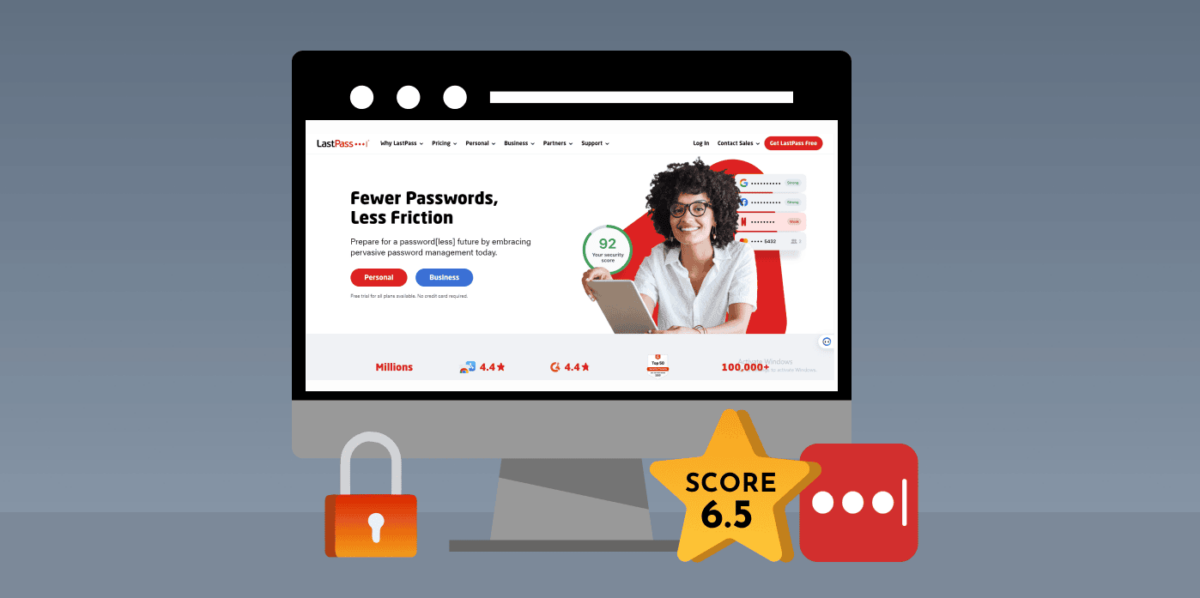
LastPass is an excellent password manager. It stores your personal information and login credentials in its encrypted password vault. The tool offers many features, such as an easy-to-use interface, robust encryption, two-factor authentication, password sharing, digital legacy, etc.
LastPass aims to improve the user’s online security and make logging into several accounts more convenient. However, it raises several security concerns because of recent breaches. This brings us to the question: “Is LastPass safe?” In this article, we will review the LastPass tool (its features, pros, and cons) to help you determine whether it’s secure enough to use.
Overview of LastPass Features: Quick List
LastPass offers a comprehensive suite of features to meet all your password management needs. Here’s a quick list of what you can expect from its privacy and security offerings.
To give you a better understanding of each feature’s benefits, we’ll review all of these individually below.
What is LastPass?

LastPass is a popular password manager tool that stores your passwords in an encrypted vault and allows you to auto-fill them whenever you visit a website or an app. You can also build shopping profiles or generate strong passwords with the help of this tool. You only need to remember your LastPass master password, and it will do the rest of the work for you. The software offers a mix of free and premium features.
LastPass extensions are available for many popular browsers like Chrome, Firefox, Opera, etc. Also, it has handy mobile apps for both iOS and Android devices.
Is LastPass Safe?
LastPass is generally secure for managing passwords. However, it has a large user base of over 33 million subscribers, which makes it an attractive target for hackers. You might have read security reports of data breaches regarding LastPass.
On August 8, 2022, a cybercriminal gained access to the backup database of the company. He found the security flaws present inside the system, exploited them, and accessed the password vaults of up to 1.6 million LastPass users. Because of this occurrence, the password manager was fined £1.2m by the ICO (Information Commissioner’s Office).
Although cyberattacks keep happening against companies. The sad part was that LastPass didn’t inform its users about the breach.
How Does the LastPass Platform Work?
LastPass implements strong end-to-end encryption and a strict zero-knowledge policy. It also offers extra features, such as multi-factor authentication (MFA).
When you’re about to set up the tool, you must create a unique and complex master password. This serves as a key that helps you unlock all of your information stored in the private vault. After setting up the account, you can start saving the login details for your various online accounts into the system. From there, LastPass will automatically fill in those login fields whenever you revisit those sites.
What’s more? LastPass can also store sensitive notes, sync across different platforms, and even allows you to securely share your passwords with trusted contacts.
Now, let’s take a deeper look at how you can create strong master passwords.
Master Password
As mentioned above, it’s essential to create a powerful master password to sign up for LastPass. It should be up to 12 characters long and include a mix of symbols, numbers, and uppercase letters.
The company uses PBKDF2-SHA256 hashing to encrypt your master password. This slows down forceful attacks from intruders significantly. With this encryption standard, a hacker can only attempt to guess thousands of passwords each second rather than billions during such an attack.
LastPass also provides MFA options, which require you to complete an additional verification step(s) to access your account. It could involve receiving a text or using biometric authentication.
Encryption
When it comes to security, LastPass has you covered. It offers top-notch encryption, so that your data stays protected during transmission. It moves between your smart device and the company’s servers using TLS encryption, which stops many potential threats like man-in-the-middle attacks.
What’s more? No one, including LastPass employees, can access your data.
Additional Security Measures
LastPass conducts regular audits, penetration tests, and provides incident reports for transparency. They even offer a bug bounty program so that they can discover the potential security vulnerabilities present inside the system and resolve them as quickly as possible.
Recent LastPass Security Breaches: What You Need to Know
The recent cyberattacks on LastPass have disturbed both cybersecurity experts and the people who use the service to protect their passwords. These events have caused some damage to LastPass’s finances and reputation as a company. If you want to review these incidents, here’s a breakdown of the key occurrences.
August 8, 2022
On this day, a hacker breached one of the corporate computers of a LastPass developer. This was the first major data breach in recent years, as they managed to access a development environment. The hacker stole the source code, technical documents, and sensitive company data.
August 12, 2022
Here, the hackers gained access to the personal computer of the company’s Senior DevOps developer, who had access to the SSE-C decryption key by a Plex server running on the engineer’s PC. The cybercriminal obtained the master vault password by using a keystroke logger.
The CEO of LastPass, Karim Toubba, stated that the intruder made a mess with the source code. However, there was no proof of them accessing any password vaults or user data. LastPass reassured users that everything was under their control and the hacker was no longer a threat.
October 26, 2022
The company disclosed that the same intruder remained undetected within their systems for nearly three months. It kept engaging in data collection practices.
November 30, 2022
LastPass acknowledged, for the first time, that its customer data had been compromised in this year’s series of breaches. It started due to the data obtained during the intrusion in August 2022.
December 22, 2022
CEO Toubba confirmed reports of third parties accessing customers’ vaults. He admitted that the hackers stole IP addresses, usernames, encrypted passwords, contact details, and billing information of users.
January 23, 2023
Five months after the initial breach, attackers successfully obtained encrypted user backups and a LastPass encryption key.
March 1, 2023
CEO Toubba finally issued a statement acknowledging the frustration and criticism expressed by LastPass users. He emphasized that LastPass never stored its users’ master passwords at any point, so hackers couldn’t have obtained them during that breach. Toubba also reassured customers that LastPass’s security team had yet to identify any stolen data circulating on the dark web.
Who is LastPass’s Proprietor, and are they Trustworthy?
LastPass was acquired by GoTo (formerly LogMeIn Inc.) in 2015 for a whopping $110 million. GoTo is a Boston-based organization responsible for managing various cybersecurity products. These include collaboration, online meetings, administration, and remote access software.
However, some longtime users have raised concerns about this new ownership. Their concerns are not far-fetched because the company has a history of hackers trying to misuse stolen customer details to access systems dubiously using remote access software.
LastPass Review: Pros and Cons
Like any service or product, LastPass has benefits and drawbacks as a password management tool. We have summarized things we love about LastPass and things it lacks compared to its alternatives.
What we like about LastPass (Pros)
- Has a free version
- Offers multi-factor authentication
- Intuitive and easy to use
- Supports many browsers and platforms
- Offers offline access to your password vault
- Excellent autofill
- 30-day free trial
What we didn’t like (Cons)
- No live chat
- Doesn’t have a desktop app
- Android app includes trackers
- Logs occasionally
- Free users can’t submit tickets or complaints
- No cross-device support in the free tier
- Recent data breaches warrant security concerns
LastPass Features – The Detailed List
Here’s a detailed list of LastPass’s most notable features.
2FA, MFA, and LastPass Authenticator
LastPass uses 2FA and MFA to make your information even more secure. 2FA ensures better security by requiring extra steps before anyone, including you, can access your LastPass vault, where your important usernames and passwords reside. You have several options for your second factor, including LastPass’s Authenticator app. Others include:
- Smartphone apps like Microsoft Authenticator, Google Authenticator, or Symantec VIP
- Software-based services such as LastPass Sesame or LastPass Grid
- Hardware tokens like RSA SecurID or YubiKey
If you decide to use LastPass Authenticator, you can download the app for free from the App Store, Google Play Store, or Windows Store.
MFA takes your security even more seriously by allowing you to combine multiple authentication factors. This way, you can protect your LastPass login credentials and those for other online services. You can freely choose which online accounts require MFA, which devices to trust, etc.
On the other hand, LastPass MFA is a separate app aimed at business users for managing permissions and security levels. It also offers decent customization options. The B2B-oriented service is available with the Identity, Teams, MFA, and Enterprise plans.
However, Premium users also have access to advanced MFA. To manage your LastPass MFA and 2FA settings, simply go to the Multifactor Options section from your online dashboard.
One-time Passwords (OTPs)
When accessing your web vault from a device that isn’t your own, there’s always a risk of falling into a trap. You never know if the device might be infected with a keylogger or some software designed to capture your keystrokes. LastPass offers a handy solution with its one-time passcode feature. An OTP lets you log in to your account without revealing your master password.
You can quickly generate these OTPs after successfully logging in to LastPass. It’s worth noting that you can only use each passcode once, as it immediately expires afterward. This makes it impossible for anyone to reuse it to access your account. Also, you can print these codes or store them using other methods for future use or in an emergency recovery.
Credit Monitoring
You can use LastPass’s free credit monitoring alert feature if you’re US-based. This feature lets you receive real-time protection by alerting you to any sudden changes in your credit report. By enabling credit monitoring, you can effectively monitor your credit report and protect yourself from identity theft.
Follow these four simple steps to enable it:
- Log in to your LastPass account.
- From the left side menu, click on More Options.
- Click on Advanced, and then select Credit Monitoring.
- Choose Enable Credit Monitoring.
Once you complete these steps, you’ll be prompted to create a new Form Fill Profile or choose an existing one.
If you want to enable the feature on an existing profile, locate your profile on the left side and click on Enable Credit Monitoring. Alternatively, you can edit your form-fill settings and enable credit monitoring afterward.
Password Vault
LastPass stores your passwords in a secure online vault. It is accessible from your desktop, web browser, or mobile device. Because the vault is encrypted, your usernames and passwords are well shielded from online snoops.
One thing to love about LastPass is its offline accessibility. You can still access your online storage or vault even when you’re not connected to the internet. Just ensure that you’ve logged into your vault at least once with an internet connection. This allows your device to cache a local version of your encrypted data, ensuring you can access it even while offline.
Country Restriction

LastPass automatically limits access based on the country you’re currently in as of the time you first set up your account. However, if you frequently travel or need access from multiple locations, you may add additional countries to your allowed list.
You can do this in 8 simple steps:
- Open your LastPass Vault.
- From the left bar, click on Account Settings.
- Go to the General tab and then click on Show Advanced Settings.
- Check the box labeled “Only allow login from selected countries.”
- Select the countries you want to add to your access list.
- Click Update to save your changes.
- If prompted, enter your Master Password.
- Click Confirm to finalize the changes.
There you go. You’re now free from the restriction to access LastPass only from one country. You should know that if you use a VPN, you can bypass country restrictions by changing your virtual location.
Password Generator
Another specific standout feature of LastPass we love is the password generator. It simplifies the process of creating strong passwords for websites and applications you often visit.
So, what does it do actually? It allows you to create strong passwords for websites and applications you often visit. With LastPass’s password generator, you can say goodbye to weak passwords like “123456789” or “qwerty” that fail to protect online privacy and security. Rather, it ensures you receive unique passwords with a mix of numbers, symbols, uppercase, and lowercase letters.
The password manager not just creates passkeys but it also lets you control how strong or meaningful you want your password to be. For example, you can add or skip symbols and numbers, choose your ideal password length, or select one that’s easy to read.
We always recommend using longer passwords with more diverse characters to strengthen your security. After all, with LastPass, you don’t need to commit your passwords to memory. Since LastPass has faced several security challenges in recent years, you should think carefully before using its password generator. Don’t worry. ExtremeVPN’s Password Generator Tool is one of the best alternatives to the LastPass password generator. It helps you create passwords without compromising your security.
Security Challenge
The key advantage of using a password manager is that it helps you store all your passwords in one vault. While it’s convenient, it also raises security concerns. How do you know if your passwords are strong enough? That’s where LastPass’s security challenge comes in handy.
The LastPass security challenge is a straightforward tool that analyzes the strength of your passwords. It scans through all your stored passwords and rates their complexity. If you’re using weak or reused passwords across multiple accounts, you’ll instantly see low-security scores highlighted in red.
This helps you to strengthen the passwords you use across several accounts and also change your master password to something more complex and powerful.
FAQs