

YouTube is a popular streaming platform that most netizens use to enjoy fun and educational content. It boasts a vast collection of entertaining videos, including short films, movies, music videos, prank shows, and more. While all this can be fun, you may still have a lingering question concerning the platform’s safety.
This post answers the question and provides valuable tips on improving your privacy on the platform. You will also discover ways to keep your kids safe while watching videos on YouTube.
Is YouTube Private?
Sadly, it’s not. It’s hard to perform activities privately using YouTube because the site logs users’ data. You should know that the owner of YouTube is Google, a company well-known for being data-hungry. But this does not mean you have to abandon all your favorite YouTube content while searching for privacy.
Fortunately, there are ways for you to use the streaming service without having to compromise your privacy. One way to do so is to use a quality YouTube VPN. It instantly masks your IP address, making it harder for websites like YouTube to monitor you and get your location data. Hence, you can browse the site without revealing your identity.
Another way to browse privately on YouTube is to avoid creating an account. Doing this will limit the personal data you provide to the site.
How Safe is YouTube?
The answer to this question depends on the way how you use the service. But generally, YouTube proves to be a safe platform. The site always ensures the removal of inappropriate or unsafe content or at least places them behind age restrictions. That way, young users and netizens without a YouTube account won’t be able to access the content.
However, some inappropriate content slips past these restrictions, so you must remain vigilant. Aside from the inappropriate content, cybersecurity risks are also attached to this service. The site lets users insert links on any comment they type, which may be an avenue for phishers and hackers to misuse.
You may encounter malicious ads, which, if you click on them, may install malware on your device or leak sensitive information. However, there are various ways for you to use the platform safely.
Tips on Using YouTube Safely

Here’s how you can stay safe when watching videos on YouTube:
- Don’t click on YouTube adverts: While the ads playing between the videos you watch are considerably safe, the same can’t be said for ads and pop-ups playing on YouTube Shorts. To avoid any security risk, it’s best that you do not engage with any of these ads.
- Avoid links in the comment section: Not all users are on the platform for honest reasons. That’s why you shouldn’t trust any link in the comment section telling you to follow. These links are the perfect trap to attack your device with malware, phishing, and other threats.
- Use YouTube Restricted Mode: This mode lets you keep inappropriate content out of reach. You can also lock the Restricted Mode so that no other user can deactivate it without you knowing.
- Set up a strong password: Your YouTube account requires the same credentials as your Google account. Make sure you use a long password by combining uppercase and lowercase letters, numbers, and symbols. If you want help, you can use ExtremeVPN’s password generator tool. Users should also set up two-factor authentication on their devices.
- Report inappropriate content and its creators: Sometimes, inappropriate content may find its way into your YouTube page, and the accurate response to such videos is to notify YouTube of them. You should also report the users who posted them, as they are not following the YouTube community guidelines. Examples include videos with nudity or sexual content, spam, threat messages, hateful content, violent or graphic images, and dangerous activities.
What is YouTube Kids?
This version of the YouTube platform was built to be a friendly space for families and kids to enjoy entertaining videos. It does not have any age-restricted content in its library. You can download the YouTube app from your app store or use it on your web browser. While the platform is designed for kids’ use and keeps them safe online, it requires an adult to set it up.
Is YouTube Kids Safe?
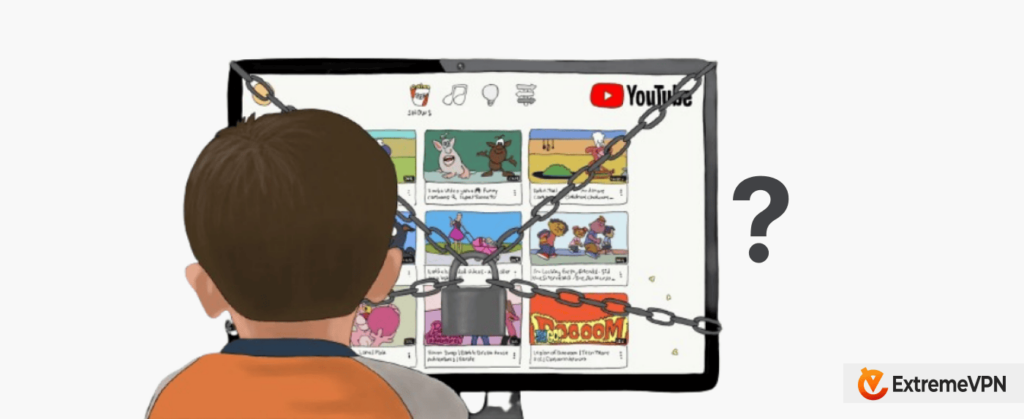
When compared to the regular YouTube version, YouTube Kids is unquestionably safer. Yet, we can’t say it is entirely safe for your kids to use without supervision. This is because kids can easily change the app’s settings on the account; all they have to do is solve an easy math puzzle to access the settings. That means a kid can change the content they can access without notifying the parent.
Even if they don’t figure out how to change the settings, some creators label their content kid-friendly but find loopholes to insert unfriendly scenes in their videos. An example of this situation is the ‘child-friendly’ show Elsagate, which contained a lot of inappropriate content.
If you want to ensure your kids’ safety when using this platform, it’s best that you enable the YouTube Restricted Mode. Activating this mode will only take a second; just click on your profile icon and select Restricted Mode.
How Can I Set Up the Profiles and Parental Controls on YouTube Kids?
To create a YouTube Kids profile, you must first download and install the app on your device and verify you are an adult by entering your birth year. You must follow a few instructions to complete the setup process and modify parental controls.
- Once you are done setting up your app profile, you will receive a prompt asking if you want to keep the search function on or off.
- From the site’s home page, you will notice a padlock icon on the top-right corner of your screen. Once you click on the padlock icon, you will need to solve a simple math question to access the Settings menu.
- On the settings page, you can change the age range of the content provided. You can also toggle the search function switch off or on, depending on what you chose before, create a custom password, and clear the watch history.
How Does YouTube Make its App Safe for Kids?
YouTube is trying to ensure its kids’ platform remains a safe haven that is free from inappropriate content. It hires content moderators and uses an advanced AI monitoring system to help block such content.
Creators also have the power to ban specific keywords and languages from their comment section, which can help reduce hateful and malicious comments. They even have the option to turn their comment section off.
Is it Okay to Let My Child Start a YouTube Channel?
You can allow your child to create a YouTube channel, as this can be a rewarding and fun experience for your child. However, remember that some of the platform’s features can make it simple for malicious users to violate your child’s privacy or safety.
So, if you plan on starting one soon, take a few precautions to ensure the channel remains safe.
5 Tips to Help Your Child Run Their YouTube Channel
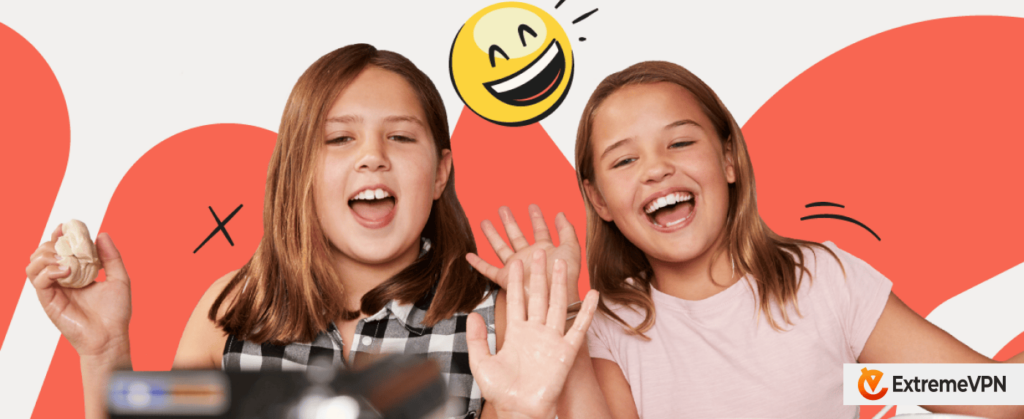
Here are some tips you should consider in case your child decides to start their YouTube channel:
1. Check their Privacy Settings
Immediately after your kid creates their YouTube channel, you should help them modify their privacy settings into one you are both comfortable with. This is important, especially if you don’t want to expose your young child to mature content on the platform.
2. Monitor the Videos They Post
YouTube has strict rules regarding protecting its users’ privacy and copyrights. That’s why you will need to review the guidelines with your child to ensure they understand them before posting a video. To ensure your child doesn’t violate YouTube’s privacy policy, you can check the videos before they are posted.
If your child’s channel is flagged for hosting content that violates these terms, they may have the video deleted from their channel or get a penalty strike. If they keep getting penalty strikes, it may lead to their channel shutting down or, even worse, their entire YouTube account being disabled or suspended.
3. Don’t Forget about Ads
If your child’s YouTube channel gets popular, they may receive an invitation to join the YouTube Partner Program. This enables them to place ads on their content and earn a percent of whatever revenue YouTube generates from the advert. While this is cool, you may need to check the kind of ads and determine if the product or service is something you want your child to support. If it’s not, you can opt out of the Partner Program.
4. Explain the Social Impact of Running a Channel
We are in an era where anything can go viral, and people will share it with any interested party at lightning speed, making it hard to remove the video from the internet altogether. YouTube videos are no exception to this viral game.
Posting one video that shows your child in an unflattering manner can lead to them getting hateful comments, being bullied at school, or affecting future opportunities. As these viral videos can become what they will be known for, even after many years, you must lecture your child on the type of content they want to post.
5. Don’t be too Controlling
As much as you want to protect your child from every possible harm the internet wants to throw at them, you must keep their interest in mind. Offer help in any area where you can, but don’t be too overprotective. Remember that if you control every aspect of your child’s channel, they may want to run it without your supervision.
The best way to do this is to watch the content they post, go through their comment sections (if you decide not to lock it), and offer helpful suggestions when needed. If you provide advice instead of telling your kid what they can or can’t do, they will likely want to involve you in their channel’s operations.
Also read: Top 17 Best YouTube Alternatives and Competitors in 2026
FAQs